2010年中期 15寸 MacBook Pro 一体化机 RAM 更换

最后更新于 2019年10月17日
浏览量: 15万
浏览统计数据:
- 过去24小时
- 2
- 过去 7 天:
- 37
- 过去 30 天:
- 192
- 总计
- 151,053
评论: 49
45 comments on steps, 4 guide comments.
Go to guide comments已完成: 229 230
229 人已将本指南标记为“已完成”。你会是下一个完成的人吗?
230 人已将本指南标记为“已完成”。包括你——干的漂亮!
收藏: 104 105
104 人已收藏(并订阅)本指南。你会是下一个吗?
105 人收藏(并订阅)了本指南——这其中包括你!
特色指南
iFixit的工作人员认为该指南特别酷。
简介
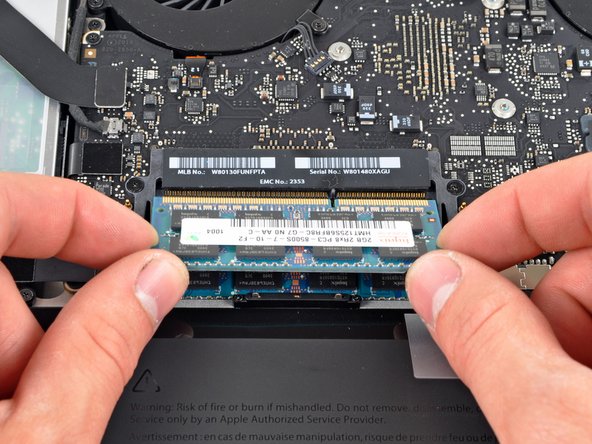
转到步骤 1 ↓更换本笔记本电脑的RAM很直观,只需要很少的拆卸。
你所需要的


 询问修复机器人


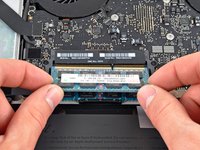
请按逆序重组你的设备。
229等其他人完成本指南。


4指南评论
Step 3
Could not get ram to lock in correctly. Verified twice that it was the correct part but when installed i get a beeping sound on reboot and nothing else. Any suggestions?
Mark Nunes - 回复 分享
Has ANYONE decided to hotrod the ram by upgrading it to 16gig? It says not to do it but doesn't say WHY. And with mine already running an SSD. I want to hot rod this baby as much as possible. I don't mind the 8gig that it has now but I do video work and could use the extra 8gig's.
According to this, the CPUs in the Mid2010 MBP only support up to 8 GB
2.66 Ghz i7: http://ark.intel.com/products/43560/Inte...
2.53 Ghz i5: http://ark.intel.com/products/43544/Inte...
@Jeffrey no you cant hotrod those macbooks, the only one that can be hotrod in macbook pro range is the mid 2010 13in 2,4ghz duo core which is what i have and 2 minutes ago i have successfully upgraded to 16gb with no problems, yet to try out performance but it will be much better than the 4gbs i had previously.
Tye Nguyen - 回复 分享
