跳转到主内容

如何将 AirTag 恢复出厂设置

你所需要的

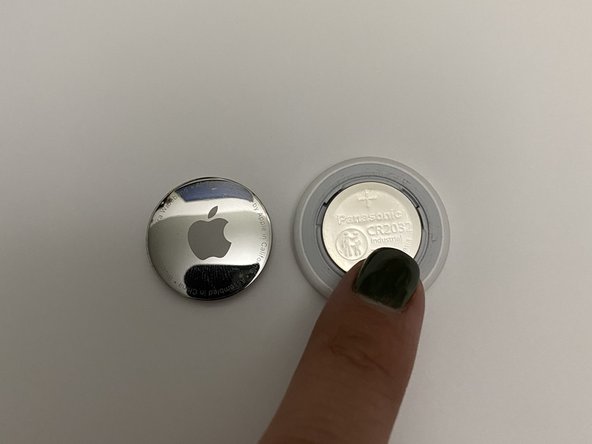
  1. 如何将 AirTag 恢复出厂设置, 如何将 AirTag 恢复出厂设置: 步骤 1 中的图像 1,1
    • 用手指向下按压 AirTag 的背面。

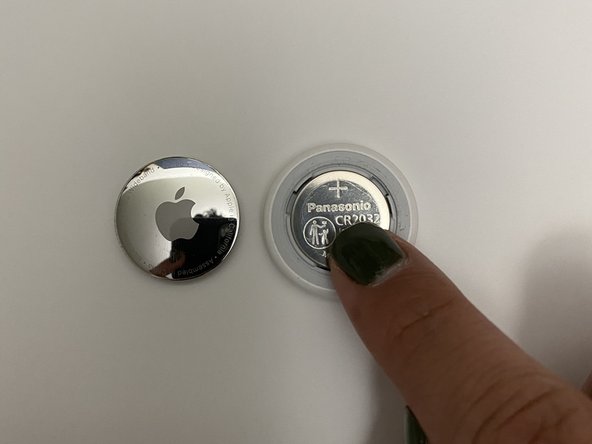
  2. 如何将 AirTag 恢复出厂设置: 步骤 2 中的图像 1,1
    • 逆时针转动背板。

    • 抬起并取出背板。

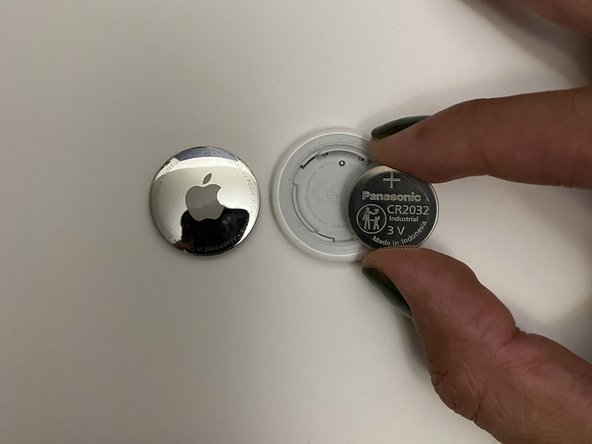
  3. 如何将 AirTag 恢复出厂设置: 步骤 3 中的图像 1,1
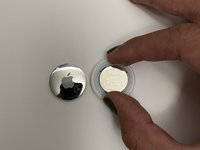
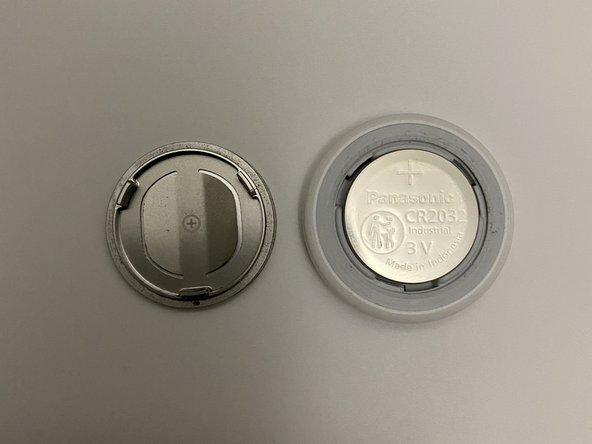
    • 用食指和拇指取出电池。

    • 如有需要,现在可以更换电池。 AirTag 使用 CR2032 电池。

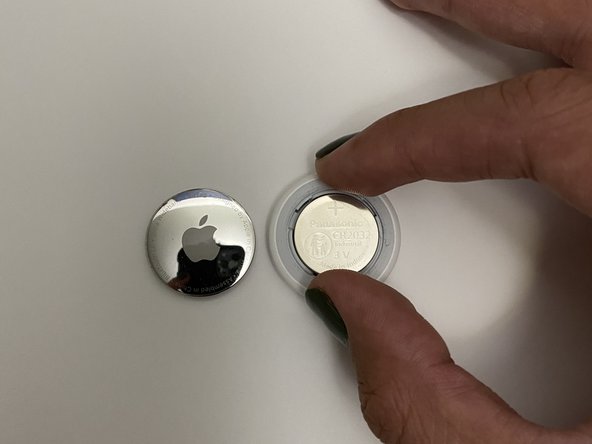
  4. 如何将 AirTag 恢复出厂设置: 步骤 4 中的图像 1,1
    • 将电池正面向上放入 AirTag 。

    • 轻微按压电池,直到听到一声提示音。

    • 提示音说明电池安放到位。

    • 如果没有听到提示音,则可能需要更换电池。

  5. 如何将 AirTag 恢复出厂设置: 步骤 5 中的图像 1,3 如何将 AirTag 恢复出厂设置: 步骤 5 中的图像 2,3 如何将 AirTag 恢复出厂设置: 步骤 5 中的图像 3,3
    • 待提示音播放结束后,重复上一个步骤五次。即重复取下电池,安装电池,等待提示音播放结束。

    • 第五次安装电池后, AirTag 会播放一声与之前不同的提示音。

  6. 如何将 AirTag 恢复出厂设置: 步骤 6 中的图像 1,2 如何将 AirTag 恢复出厂设置: 步骤 6 中的图像 2,2
    • 不同的提示音说明 AirTag 已恢复出厂设置,可以进行配对。

结论

如要组装设备,请按照本指南的逆序操作。

14等其他人完成本指南。

由衷感谢以下译者:

en zh

100%

Ennis正在帮助我们修复这个世界! 您也想加入吗?
开始翻译 ›

Daniel Barajas

于03/20/22注册

477 声望

撰写一个指南

团队

CSU Los Angeles, Team Z-99, Briggs Spring 2022 CSU Los Angeles, Team Z-99, Briggs Spring 2022 的会员

CSULA-BRIGGS-S22SZG99

3 名成员

创作了8篇指南

5指南评论

Thank you for sharing this information. I’m investigating this product prior to purchasing.

DonManion - 回复

I believe that using the "Remove" command in Find My app (Items) will reset the AirTag for another person to use. It disconnects it from the Apple ID used to register it. Have tested this.

Of course, if the AirTag is malfunctioning, this battery method should suffice to fully reset it. You will probably want to remove it from the Find My app anyway so new registration can proceed. (I have not tested performing this hard reset and then pairing with my ID while it was still registered.)

David Spalding - 回复

I try and my grandson and both failed to take the tags apart following the instructions where I get them changed?

Jajue - 回复

I've got the same problem. Anyone got a solution?

Peter T -

I use a jar opener pad that gives a bit more friction than my finger could. It works every time for me.

Paul Lugg - 回复

添加评论

浏览统计数据:

过去 24 小时: 26

过去 7 天: 186

过去 30 天: 767

总计 18,899