
跳转到主内容

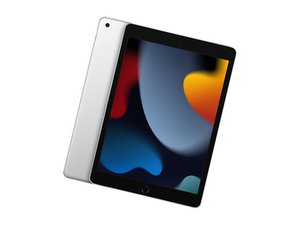
Ninth generation of iPad, released September 24, 2021, available in 64 or 256 GB models. Model Number A2602.

Screen digitizer doesn’t come with home button cable?

Hi there,

Ordered a replacement screen digitizer and the new one doesn’t come with a home button cable? In the photos, it looks like the new digitizer comes with one, but when it arrived, it only had the two display cables.

Trying to figure out what I need to do and how to proceed as I am truly stuck without the home button cable. I’m wanting to retain the OEM cable to keep Touch ID and that shouldn’t be a big deal since I am not replacing the home button, but just the battery and digitizer.

回答此问题 我也有这个问题

这是一个好问题吗?

得分 0
添加一条评论

2个答案

最有帮助的答案

The home button cable isn't separate from the button itself; you remove the entire cable+button assembly from the original digitizer and transfer it to the new touch screen as part of the replacement process. Take a look at steps 42 through 51, describing the process of removing the home button assembly.

iPad 9 Screen Digitizer Replacement - iFixit Repair Guide

这个答案有帮助吗?

得分 1
添加一条评论

No worries - you didn’t get a defective part. Replacement digitizer assemblies for the iPad 9 typically do not include the home button cable or Touch ID sensor. Apple pairs the Touch ID sensor to the iPad’s logic board, so to keep Touch ID working you must transfer your original home button (with its flex cable) from the old digitizer to the new one.

That means:

  • The two flex cables on the new digitizer are only for touch input.
  • The home button + cable is reused from your old screen.
  • Be extra careful when removing it, since the cable is delicate and can tear easily.
  • Once transferred, the original home button will work with your new digitizer and preserve Touch ID.

So, you’re on the right track - you don’t need to buy another part.

这个答案有帮助吗?

得分 0
添加一条评论

添加你的答案

KaelinSC 将永远感激不已
浏览统计数据:

过去 24 小时: 0

过去 7 天: 3

过去 30 天: 4

总计 52
