跳转到主内容

My New MacBook Pro Battery Won't charge

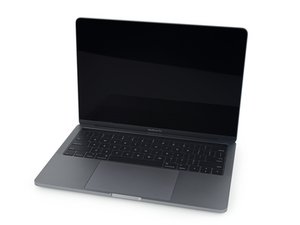
After replacing the battery on my 2018 MacBook Pro, I fully charged it twice while the device was completely turned off. Then, after the battery drained, I charged it again. The problem is that under normal conditions, when the MacBook is on, the battery doesn’t charge. I have to turn off the device for it to start charging.

Block Image
Block Image
Block Image


回答此问题 我也有这个问题

这是一个好问题吗?

得分 0

1条评论:

This question was migrated from https://meta.ifixit.com/Answers.

完成的

添加一条评论

1个答案

Let's start off by installing coconutBattery and then post a screenshot of the info it provides to the question while it is connected to the charger together with the info from the system report (Power) to see what is going on. It maybe a good idea to also double check and reconnect the battery connector internally. It might also be worth a try to reset the PRAM & SMC for good measure to see if there is any improvement.

这个答案有帮助吗?

得分 0

12条评论:

I had already tried both of your suggestions before, but nothing changed. The battery also drains very quickly, with little difference from the old one.

完成的

@riosikaroodi - We really need a snapshot of CoconutBattery to figure things out.

Think it this way… you go to the dentist telling him you have a toothache, without being able to ‘see’ the decay in your tooth it’s a hit or miss! But getting an X-Ray of your teeth will allow the Dentist to hone it to which tooth needs fixing.

Here we’re in the same boat! Without a snap of CoconutBattery we can’t really help you. We may ask for a few more copies depending on what we see.

完成的

@riosikaroodi - almost! Go into your question in edit mode and just like you did with the first image of the OS battery info, import it with in the toolbox button (far right)

完成的

Did you see that?

完成的

@riosikaroodi - Yes! We can now work it out!

完成的

显示更多的7条评论

添加一条评论

添加你的答案

Rio Sikaroodi 将永远感激不已
浏览统计数据:

过去 24 小时: 0

过去 7 天: 0

过去 30 天: 4

总计 149