跳转到主内容

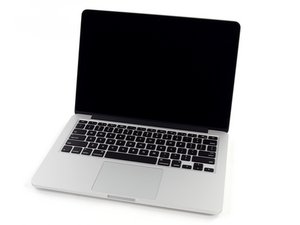
Model A1502 / 2.6 GHz (Turbo Boost up to 3.1 GHz) or 2.8 GHz (Turbo Boost up to 3.3 GHz) dual-core Intel Core i7 processor with 4MB shared L3 cache.

MacBook Pro won't turn on

Hello,

About a year ago my mid 2014 MacBook Pro stopped turning on seemingly out of nowhere. The only odd thing I noticed from first glance is that when I plug in the MagSafe cord, the light doesn't turn on. So far it has shown 0 signs of life (no fan sound, display off, etc). I haven't gotten around to fixing it until this week and here are the things I've tried to no avail:

  • Resetting the SMC (removable battery method from here)
  • Resetting the NVRAM (didn't do anything since mac can't boot in the first place)
  • Holding power button for 15 seconds
  • Swapping my MagSafe DC with my friend's, who has the same exact Mac model. My MagSafe DC worked perfectly fine on his Mac, but when I used his on mine, it made no difference.
  • Disconnecting the SSD and trying to power it on

I'm completely lost now and I'm unsure what to try next. A side note is that before my mac stopped turning on, my speakers stopped working.

Thanks in advance

回答此问题 我也有这个问题

这是一个好问题吗?

得分 0
添加一条评论

1个答案

If the MageSafe LED is not lighting you need to try cleaning the MageSafe connector as it often collects dirt. Give it a good clean both the grey sides and the black bottom plastic areas, for the contacts get a fresh pink pencil eraser to scrub the contacts.

Did that work? If not you may need to replace the DC In-Board unit following this guide MacBook Pro 13" Retina Display Mid 2014 MagSafe DC-In Board Replacement did that fix things?

Lastly, if neither of these fixed the problem your logic board has an issue which will need deeper diagnostics.

这个答案有帮助吗?

得分 0

10条评论:

Thanks for responding. I’ve already tried cleaning and replacing the DC In-Board, but the LED still doesn’t light up. I have an identical MacBook Pro that still works (although it has a very cracked screen), so I’ll try swapping in it's logic board to see if that fixes it.

完成的

Hi Dan, I'm back with some confusing results. To keep things simple, I'll call the MacBook Pro I'm trying to fix Mac 1 and the identical MacBook Pro I'm using for spare parts Mac 2.

Even though Mac 2 has a cracked screen, all its internal components are still functioning properly. Yesterday, I swapped the DC In-Boards between the two machines. Mac 1's DC In-Board worked perfectly in Mac 2, but Mac 1 still wouldn’t boot and showed no charging LED.

Today, I did the same swap with the logic boards. Again, Mac 2 worked fine with Mac 1's logic board, but Mac 1 still wouldn’t boot or show any charging LED.

Since it doesn’t seem to be an issue with the DC In-Board or the logic board, what would you recommend trying next? I’m completely stumped.

完成的

@breadmaste90256 - is the case bent (distorted) around the MagSafe port? You could also run the system with the DC-In Board physically loose (not mounted) just make sure you don’t short things out.

完成的

Nope, the case area around the MagSafe port seems completely fine. I also tried running the system with the DC-In Board physically loose just to make sure, but there's still no signs of life.

完成的

@breadmaste90256 - then there is a short being caused between the logic board and the case. Double check your screws you may have put a long screw where a short one was required. Look at the board mount points comparing the two systems.

完成的

显示更多的5条评论

添加一条评论

添加你的答案

breadmaster 将永远感激不已
浏览统计数据:

过去 24 小时: 0

过去 7 天: 3

过去 30 天: 11

总计 186