
跳转到主内容

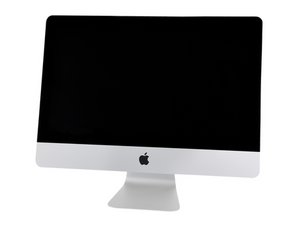
A2115 / 2019 / Processors from 3.0 GHz 6-core i5, up to 3.6 GHz 8-core i9. Released March 19, 2019.

iMac 19,1 with OWC SSD upgrade won't update to Monterey

A 19,1 iMac purchased from OWC won’t complete the upgrade to Monterey from Big Sur 11.6.4. Research indicates that an EFI update fails if a third-party internal drive/SSD is installed. Apple says the OEM drive isn’t user-replaceable, and it’s the third party’s fault. OWC says that it’s Apple’s fault, only offering to send a loaner to update the EFI. Has anybody had this problem? Was a solution found that didn’t involve taking apart the iMac and swapping drives?

已回答! 显示答案 我也有这个问题

这是一个好问题吗?

得分 0
添加一条评论

1个答案

已选择的解决方案

Don't you love it each is pointing to the other!

The version of OWC Aura drive could be a factor if you don't have the OWC Aura Pro X2 SSD.

If OWC is offering a loaner I would take them up on the offer.

这个答案有帮助吗?

得分 2

4条评论:

Are you saying that the Aura Pro X2 SSD passes the EFI update process? That would be my preferred option.

I ended up buying an OEM drive of my own, which will aid me if Apple decides to update EFI again at some point.

This whole situation is FUBAR. I can tell the OWC customer service reps really hate being this unresponsive.

完成的

@philistine - The issue is what OWC was doing at the start as Apple didn't offer an open PCIe/NVMe interface until High Sierra. Thats when the firmware was modified to allow 3rd party drives to work (ones that complied with Apples specs - Not M.2 via adapter) As Apple have a few additional lines for drive housekeeping and sleep mode which the M.2 solutions don't offer. People who go with M.2 are playing Russian rouletted! Watch the film Deer Hunter!

So the rug was sorta pulled out from under OWC if you didn't upgrade the OWC SSD with the newer drive firmware so it too could interface into the new Apple Firmware/OS API services before upgrading to High Sierra first.

Once the drive is updated and then you update the OS everything should play just fine! And Apple expects the drive vendor to support its products.

With that said, Apple can't say the there drive is the only one given the fact they opened the door with the needed firmware/OS services. Sure I've give you a door but you can't enter is a bit of an oxymoron! Clearly, the person you talked to at Apple has no clue!

完成的

Hi Dan,

would you recommend the OWC Aura Pro X2 going forward? In other words: if it's compatible now, would you expect it to be when the next macOS is released?

Edit: Is there a way to deactivate the SSD without taking it out it would have a similar error? Would like to avoid opening the iMac again.

完成的

@marca1 - Apple is always a moving target! The newer 27" systems use a T2 chip which prevents 3rd party SSD's. Support the Right to Repair!

If you don't want to use the blade SSD just physically remove it (if part of a Fusion Drive) or reconfigure the drives by breaking the Fusion Drive set. Older macOS's required a different few steps, I haven't dealt with anything newer than Mojave as the systems I deal with tend to be single drive'ed which people want to upgrade to dual independent drives and I'm just not doing that much any more.

完成的

添加一条评论

添加你的答案

Philip Cherry 将永远感激不已
浏览统计数据:

过去 24 小时: 0

过去 7 天: 3

过去 30 天: 9

总计 1,054