
跳转到主内容

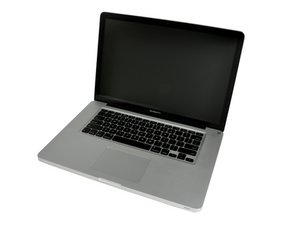
Released June 2012 / Core i7 processor with Turbo Boost / Up to 1 GB GDDR5 Video RAM

How do rest my computer if the keyboard isn't working.

Ok I booted my computer the other day and the keyboard isn't working. The power button and the track pad are, and all of a sudden my battery isn't showing up, says it isn't installed. I was trying to work down a list of solutions and one was to do a system reset. But that requires pressing cmd-r, well my keyboard doesn't work. How can I do a system reset if the keyboard isn't working? Thanks for the help.

已回答! 显示答案 我也有这个问题

这是一个好问题吗?

得分 -1
添加一条评论

2个答案

已选择的解决方案

Any USB keyboard will work on the Mac - it should be identified in startup and the key combo should work, give it a go.

这个答案有帮助吗?

得分 1
添加一条评论

If you have a wireless keyboard handy you could try turning on Bluetooth and use the other keyboard. Hint: Use the keyboard mapper app to type in the code (if needed).

It sounds like you have a loose keyboard ribbon cable or you got your system wet. Have you taken off the bottom cover yet to check things out?

这个答案有帮助吗?

得分 0

1条评论:

Machead has a better answer here! Thats what happens when you get spoiled by Apple with there wireless keyboards ;-}

完成的

添加一条评论

添加你的答案

danurbanpgh 将永远感激不已
浏览统计数据:

过去 24 小时: 0

过去 7 天: 0

过去 30 天: 2

总计 1,316
